

Gait analysis is the study of how a person walks or runs. It is used to evaluate movement patterns, identify abnormalities, and help diagnose or monitor conditions affecting the muscles, bones, joints, or nervous system
When is Gait analysis most important?
-
After a lower-limb injury or surgery
-
During rehabilitation
-
When pain or weakness changes the way someone walks, this includes, limping, reduced stride and uneven loading between feet
For older adults changes in gait can be an early indicator of declining mobility or increased fall risk
Common patterns include:
-
Leaning away from the injured side
-
Shortening your stride
-
Reducing push‑off force
The body has naturally compensated to minimize pain. Compensations can become habitual even after the injury heals, creating long‑term imbalance.

A proper gait helps:
-
Restore normal weight distribution
-
Improves balance
-
Reduce risk of re‑injury due to falls

Why Pronation Matters in Gait Analysis
Pronation is a natural and important part of walking and running. It is the natural inward rolling and flattening motion of the foot that occurs after the heel contacts the ground during walking.
Gait analysis evaluates whether pronation is within an appropriate range, occurs at the right time, and is balanced between the left and right sides. Abnormal or asymmetric pronation patterns may contribute to altered movement and compensation at the ankle, knee, and hip.
Monitoring pronation can help physiotherapists identify movement abnormalities, understand compensation patterns, track recovery, and assess changes throughout rehabilitation.

Step-IQ Gait Analysis

The Step-IQ is wearable technology designed to provide gait analysis using a sensor-based insole attached to a Pod and PC app.
By capturing pressure patterns at key points of the foot, the system can accurately analyze the major stance‑phase events of walking: Loading Response, Mid‑Stance, Terminal Stance, and Pre-swing. Pronation is shown as the medial to lateral ratio. This data allows the physiotherapist to provide a detailed diagnosis to ensure proper recovery.

The Next Step - Patient in-home Gait analysis
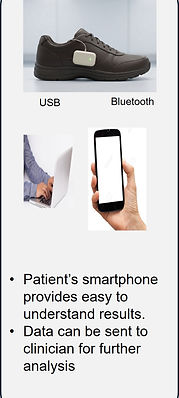
Development is ongoing in provide patients the ability to monitor their gait and track their progress all in a natural stress-free environment.
Results will be displayed in a easy to understand visual with information on the meaning of the different phases of a gait and their importance.
If the patint has any concerns with the progress, a history of a results can be sent to the clinician for followup.

Meet Our Team

Ron Hurtig P.Eng.
35 years of new product development. Specializes in concept to commercialization.

Mikhail Lobo
Health Care Innovation Advisor
University of Toronto TRP
Supports product implementation by mapping workflows and identifying underlying needs.

Igor Baglaenko
Product Development
Lead Software Designer with over 35 years of new product development
Step-IQ Pod: Steps to start the gait analysis:
-
Insert Step-IQ insole into your shoe, strap the Step-IQ Pod around your ankle and fully insert the insole cable to the bottom of the Pod
-
Using the tip of a pen, slide the switch at the top of the Pod, you will hear one beep
-
Indicates that POD is ON
-
-
Stand straight for a couple of second, until you hear two beeps
-
Indicates that calibration ready to start
-
-
Lift the foot off the ground, you will hear a single beep
-
Indicates that noise calibration complete
-
-
Stand on the one foot with the insole, keep your body straight and put your full body weight on the foot. Wait for two beeps
-
Indicates weight calibration complete
-
-
Start walking in a straight path maintaining a normal steady pace. You will hear one beep
-
Indicates that walking pattern is established
-
-
Continue walking with steady steps. When sufficient data has been recorded for analysis, you will hear three beeps
-
Indicates measurement process complete.
-
-
Disconnect the insole and remove the POD.
-
Using the provided micro-C USB cable, connect POD to PC. Start GaitAnalysis App and click on POD Data to download and view results.